Running a cannabis dispensary without a purpose-built point of sale system is like operating a pharmacy with a cash register from a convenience store - technically possible, but operationally reckless. The cannabis industry operates under compliance requirements, inventory tracking mandates, and age-verification obligations that generic retail software simply was not designed to handle. One missed seed-to-sale report or an unreconciled inventory count can trigger a regulatory audit or, worse, a license suspension.
Choosing the right cannabis dispensary POS system is one of the most consequential operational decisions a dispensary owner or manager will make. The system you select touches every part of the business: how customers are checked in, how budtenders process transactions, how inventory is tracked down to the gram, and how compliance data flows to state regulators. For operators researching their options, understanding what a purpose-built pos system for a marijuana dispensary actually does - and what separates a good one from an inadequate one - can prevent costly mistakes before a single transaction is ever processed.
This guide covers everything from core feature requirements and compliance integration to hardware considerations, pricing models, and vendor evaluation. Whether you are opening your first location or reconsidering your current software stack, the goal here is to give you a practical framework for making a well-informed decision.
Why Cannabis Retail Requires Specialized POS Software
The Compliance Problem Generic Software Cannot Solve
Most U.S. states and Canadian provinces that have legalized cannabis require dispensaries to report sales and inventory data to a state-mandated seed-to-sale tracking platform - Metrc, BioTrack, and Leaf Data Systems are the most common. Generic retail POS systems have no native integration with these platforms. That means every transaction, every product transfer, and every inventory adjustment has to be manually entered into the compliance system - a workflow that is both time-consuming and error-prone.
A purpose-built marijuana retail point of sale system integrates directly with these compliance platforms, automatically pushing transaction data in real time or in scheduled batches. When a budtender scans a product at checkout, the system simultaneously records the sale in the dispensary's internal records and logs the corresponding inventory reduction in the state tracking system. This eliminates double-entry and reduces the risk of discrepancies that regulators flag during inspections.
Age Verification and Purchase Limits
Cannabis retail has non-negotiable requirements around customer age verification and, in many jurisdictions, daily purchase limits based on product category. Medical programs often layer additional complexity - patients may have different purchase allowances than adult-use customers, and some states require verification against a state patient registry at the point of sale.
A well-designed cannabis store POS handles this at the intake stage, scanning government-issued ID documents, confirming age, and pulling up patient status where applicable. At checkout, the system enforces purchase limits automatically, preventing a transaction from completing if it would exceed what the customer is legally permitted to buy in a single day. This is not a feature that can be replicated with a generic retail system without significant and expensive custom development.
The Business Case Beyond Compliance
Compliance is the floor, not the ceiling. The strongest argument for specialized weed dispensary software is operational efficiency. Cannabis retail environments are often fast-paced, with high customer volume during peak hours and product menus that change frequently as new inventory arrives and products sell out. A system built for cannabis handles real-time menu updates across in-store displays and digital menu boards, integrates with online ordering platforms, and gives budtenders accurate product availability information during customer consultations.
The long-term business data generated by a robust POS - sales trends by product category, customer purchase history, budtender performance metrics - becomes a strategic asset. Operators who treat their POS as a data platform rather than just a cash register make better buying decisions, staff more efficiently, and identify revenue opportunities that would otherwise go unnoticed.
Core Features Every Cannabis Dispensary POS System Should Include
Real-Time Inventory Tracking
Inventory accuracy in cannabis retail is not just a business concern - it is a regulatory requirement. State tracking systems expect the inventory recorded in your dispensary to match what is physically on your shelves. A capable dispensary inventory management system tracks product quantities in real time, updating stock levels with every sale, return, or manual adjustment. It should handle the full range of product formats common in cannabis retail: flower sold by weight, pre-packaged eighths and quarters, edibles, concentrates, cartridges, and accessories.
Look for a system that supports batch and lot tracking, particularly for flower. When a new batch of a specific strain arrives, it should be logged with its associated compliance tag from the state tracking platform. When it sells, that tag should flow through to the transaction record. This granularity matters when regulators request audit trails.
Customer Relationship Management
Customer profiles in a cannabis POS go beyond storing a name and email address. A well-built system captures purchase history, tracks loyalty points, stores verified age and medical patient status, and logs communication preferences. This data allows budtenders to provide genuinely personalized service - knowing that a returning customer prefers high-CBD products in the 15-20% range or that they consistently buy a specific brand of edibles makes the interaction faster and more relevant.
For medical dispensaries, customer records may also need to store physician recommendation details, expiration dates for medical cards, and caregiver relationships. These are cannabis-specific data fields that a general-purpose CRM or retail system would not include by default.
Reporting and Analytics
The reporting capability of a marijuana retail point of sale system determines how actionable your business data actually is. At minimum, a dispensary POS should generate end-of-day sales reports, inventory valuation reports, product performance breakdowns, and compliance-ready audit logs. Strong systems go further, offering visualized dashboards that show sales velocity by product, time-of-day transaction patterns, and category-level gross margin analysis.
Before committing to any platform, request access to a demo environment and build a few reports yourself. The quality of a reporting tool is best evaluated by how long it takes to get a specific answer - if finding basic information requires exporting spreadsheets and doing manual calculations, that is a gap that will cost someone hours every week.
Integration Ecosystem
No POS operates in isolation. A dispensary's technology stack typically includes an e-commerce or online ordering platform, a loyalty and marketing tool, digital menu software, a payment processor, and an accounting system. The degree to which a cannabis store POS integrates natively with these tools - rather than requiring manual data exports and imports - determines how much administrative overhead your team carries.
Prioritize platforms with documented, maintained APIs and a published list of integration partners. Integrations that rely on file imports or third-party middleware are fragile and create reconciliation problems when data does not sync correctly.
Dispensary Inventory Management: What to Expect from the System
Receiving and Intake Workflows
Every product that enters a dispensary starts a chain of custody that regulators expect to be documented. A purpose-built dispensary inventory management system manages this from the moment a delivery arrives. When a purchase order is received, the system should allow staff to scan incoming products, match them against the manifest, and log any discrepancies before the product is put on the sales floor.
For compliance platforms like Metrc, this intake process includes accepting incoming transfers within the platform and associating the state-issued tags with your internal product records. Systems that automate this matching - pulling the manifest data directly from the compliance platform rather than requiring manual re-entry - save significant time at receiving and reduce input errors.
Waste, Returns, and Adjustments
Cannabis inventory does not only decrease through sales. Product is wasted when it expires, damaged during handling, or destroyed as part of regulatory compliance. Returns from customers, while restricted in most jurisdictions, do occur. Each of these events needs to be logged accurately in both the internal system and the state tracking platform.
A mature weed dispensary software platform handles each event type with its own workflow and documentation trail. Waste events, for example, typically require a destruction record with a witness signature in many states. The POS should guide staff through these workflows rather than leaving them to figure out the process independently each time.
Physical Inventory Counts and Reconciliation
Regular physical inventory counts are both a best practice and, in many states, a regulatory requirement. The ability to conduct a count - whether a full physical inventory or a cycle count of a specific product category - without shutting down the sales floor is a meaningful operational advantage. Look for systems that support mobile inventory counting tools, allowing staff to scan and count products on a tablet or handheld device while the store remains open.
After a count, the system should generate a reconciliation report that shows variances between recorded quantities and physical counts, flagging items that need investigation. A well-integrated cannabis dispensary POS system can push reconciled inventory figures back to the state compliance platform without requiring manual updates.
Compliance Integration: What Matters Most
State Tracking Platform Compatibility
Before evaluating any POS vendor, confirm which state tracking platform your jurisdiction uses. Metrc is the most widely deployed across U.S. states, but BioTrack is active in several states and Puerto Rico, and Washington State uses its own Leaf Data Systems. Some states have moved between platforms over time, creating complexity for dispensaries that operate across multiple jurisdictions.
Ask every vendor directly: is your integration with our state's tracking platform native and current? A native integration means the POS communicates directly with the tracking platform via API. A non-native or legacy integration may rely on file exports or third-party middleware, which creates sync delays and reconciliation risks. Verify that the integration is maintained and updated when the tracking platform releases API changes - outdated integrations break without warning and can create compliance gaps.
Automated Compliance Reporting
The most valuable compliance feature in a marijuana retail point of sale system is automated reporting - the ability to push required data to the state tracking platform without manual staff intervention. Sales data, inventory adjustments, waste events, and product transfers should all sync automatically. The system should also provide visibility into the status of these syncs, with clear alerts when a record fails to transmit so staff can address it before it becomes a compliance issue.
For multi-location operators, consolidated compliance reporting across all locations from a single dashboard significantly reduces administrative load and the risk of a location falling behind on its reporting obligations.
Audit Trail and Documentation
Regulators who conduct inspections or audits will ask to see transaction records, inventory logs, and adjustment histories. A capable cannabis store POS maintains a complete, tamper-evident audit trail for every action taken in the system - who processed a transaction, who adjusted inventory, who voided a sale, and when each action occurred. This level of documentation is the difference between a smooth inspection and a protracted investigation.
Hardware Considerations for Cannabis Dispensaries
In-Store Hardware Setup
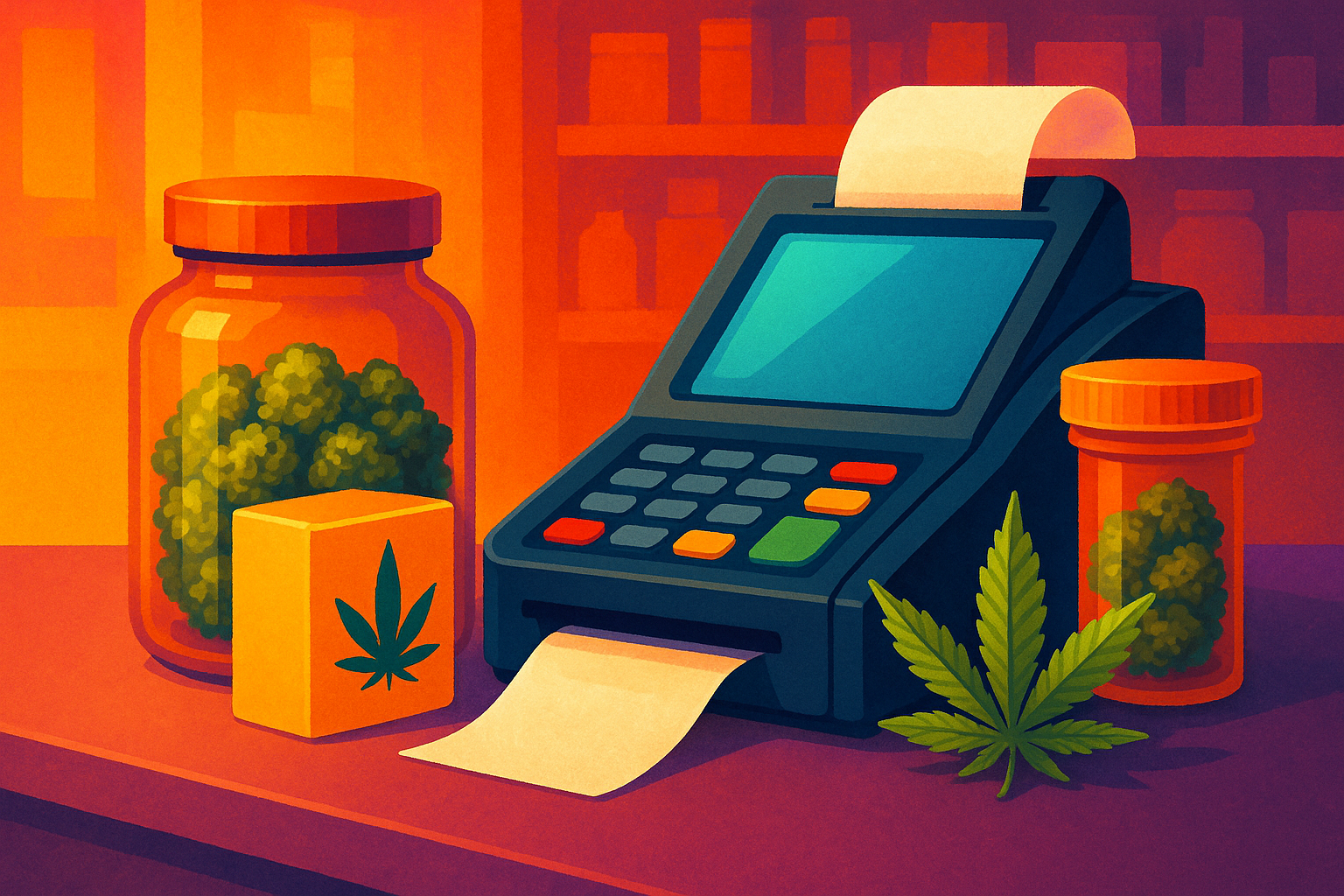
The physical components of a dispensary POS environment typically include a point of sale terminal or tablet at each register, a cash drawer, a receipt printer, a barcode scanner, and a customer-facing display. Some dispensaries add an ID scanner at intake - a dedicated device that reads the barcode on government-issued IDs and populates customer records automatically, reducing manual entry and verification errors.
Hardware compatibility matters. Not all POS platforms support the same hardware brands, and using unsupported hardware can cause integration issues or void vendor support agreements. Clarify with any vendor which hardware it officially supports and whether it offers hardware bundles or prefers you to source equipment independently.
Mobile and Queue Management
High-volume dispensaries often operate with a queued intake model - customers check in at a reception desk, are added to a queue, and are called to a consultation station when a budtender is available. Some operations add a mobile POS capability, allowing budtenders to complete transactions on a tablet anywhere in the store rather than routing every customer to a fixed register.
These operational models require POS software that supports multi-device environments and queue management workflows. If your dispensary runs this way - or plans to - evaluate whether the software's interface and licensing model support it effectively.
Network and Offline Functionality
Cannabis dispensaries cannot afford to stop selling because of an internet outage. Evaluate whether the weed dispensary software you are considering has an offline mode - a local processing capability that allows transactions to continue when the network connection drops, with data syncing to the cloud once connectivity is restored. Not all platforms offer this, and those that do implement it with varying degrees of reliability. Ask vendors specifically how their offline mode handles compliance data sync and whether any transaction types are restricted during an outage.
Evaluating and Selecting the Right Vendor
Questions to Ask Before Signing a Contract
Vendor sales conversations are rarely where you learn what a product actually does in practice. Prepare a specific list of operational scenarios and ask the vendor to demonstrate how the system handles each one - not with a slide deck, but in a live environment. Scenarios worth testing include: processing a sale that exceeds a customer's daily purchase limit, receiving a new inventory shipment and reconciling it with a state manifest, conducting a cycle count while the store is open, and generating a compliance report for a specific date range.
- What is the uptime SLA and what compensation is offered when the system goes down during business hours?
- How frequently is the state compliance integration updated when the tracking platform changes its API?
- What does onboarding include, and how is training delivered for new staff after go-live?
- Is customer data portable if you decide to switch platforms?
- What are the contract terms, and are there penalties for early termination?
Pricing Models and Total Cost of Ownership
Cannabis POS vendors typically charge a monthly software subscription fee, often tiered by number of registers or locations. Some charge separately for specific features - advanced reporting, loyalty program tools, or e-commerce integration may sit behind additional subscription tiers. Hardware costs, onboarding fees, and ongoing support plans add to the total cost.
When comparing vendors, build a full-year cost model that includes every fee, not just the base subscription. A platform with a lower monthly rate but a significant onboarding fee and expensive hardware bundles may cost more in year one than a higher-priced platform with inclusive onboarding and hardware support. For multi-location operators, also check whether the vendor offers volume discounts and how billing works when new locations are added.
Support Quality and Vendor Stability
A POS system is infrastructure. When it fails - and at some point every system experiences issues - the speed and quality of vendor support directly impacts your revenue. Evaluate support availability: does the vendor offer 24/7 support, or only during business hours in a specific time zone? Is support available by phone, or only through a ticket system? Ask for references from dispensaries of similar size and volume, and ask those references specifically about their experience during system outages or critical issues.
Vendor stability also matters. The cannabis technology space has seen significant consolidation and some high-profile platform shutdowns. Research the vendor's funding history, customer base size, and how long they have operated in the cannabis market specifically. A company with a strong track record in cannabis POS is preferable to a general retail software provider that has added cannabis compliance features as an afterthought.
Transitioning to a New Cannabis POS System
Planning the Migration
Switching POS platforms mid-operation is operationally disruptive, but it is manageable with the right preparation. The most critical element is data migration - specifically, customer records, purchase history, product catalog data, and open loyalty balances. Confirm with your incoming vendor what data they can import, in what format, and what will need to be rebuilt manually.
Plan the go-live date strategically. Avoid switching systems during your highest-volume periods - product launch weeks, holiday periods, or days surrounding local cannabis events. A mid-week go-live during a moderate-volume period gives your team time to work through early issues without the pressure of peak traffic.
Staff Training and Change Management
A new system is only as effective as the people operating it. Budget adequate time for staff training before go-live, and ensure that training covers not just routine transaction processing but the workflows that occur less frequently - inventory adjustments, waste events, end-of-day reconciliation, and compliance reporting. Budtenders who understand why a process works the way it does are more likely to follow it correctly than those who have only been shown the steps.
Designate internal champions - typically one or two experienced staff members who receive deeper training and serve as the first point of contact for questions during the transition period. This reduces the volume of support calls to the vendor and builds internal competency that persists beyond the initial rollout.
Post-Launch Monitoring and Optimization
The first 30 to 60 days after launching a new cannabis dispensary POS system are the period when issues surface. Monitor inventory sync accuracy, compliance data transmission logs, and end-of-day reconciliation reports daily during this window. Any discrepancies should be investigated immediately rather than allowed to accumulate - catching a recurring sync error on day three is far less costly than discovering it on day thirty when a regulatory report is due.
After the initial stabilization period, schedule a formal review with your vendor to assess system performance, identify underused features, and discuss any configuration adjustments that would better fit your operational workflows. Most platforms offer more capability than operators use in the first months - ongoing optimization ensures you are getting full value from the investment.
Frequently Asked Questions
Can a dispensary legally use a general retail POS system instead of cannabis-specific software?
In most regulated markets, there is no law mandating specific POS software, but state compliance requirements effectively make general retail systems impractical. If your jurisdiction requires real-time or daily reporting to a seed-to-sale tracking platform like Metrc, a general retail system cannot transmit that data natively, forcing manual entry that is both time-consuming and error-prone.
How does a cannabis POS system handle cash management given that many dispensaries are cash-heavy?
Cannabis-specific POS platforms typically include cash management tools: till opening and closing counts, cash drop logging, over/short reporting, and end-of-day cash reconciliation. Some systems integrate with cash recyclers or smart safes to automate counting and reduce shrinkage. Payment processing in cannabis is evolving - some platforms support compliant debit PIN options, cashless ATM solutions, or ACH payments where permitted.
What happens to compliance data if the POS system goes down during business hours?
Platforms with offline mode continue processing transactions locally and queue compliance data for transmission once connectivity is restored. Platforms without offline mode may require you to halt sales or process transactions manually and enter them retroactively - which creates both operational disruption and compliance risk. Confirm your vendor's offline capabilities before signing a contract.
Is it possible to manage multiple dispensary locations from a single cannabis POS account?
Most enterprise-tier cannabis POS platforms support multi-location management from a central dashboard, with the ability to view consolidated sales, inventory, and compliance data across all locations while maintaining location-level reporting where needed. Licensing and pricing for multi-location setups vary significantly by vendor - some charge per register, others per location.
How long does it typically take to implement a new dispensary POS system?
Implementation timelines vary based on the complexity of the operation and the quality of the vendor's onboarding process. A single-location dispensary with a straightforward product catalog and existing customer data in a compatible format can typically go live within two to four weeks. Multi-location implementations with complex data migrations and hardware rollouts may take two to three months.
What is the difference between a dispensary inventory management system and the inventory module within a POS?
Many cannabis POS platforms include inventory management as an integrated module rather than a standalone system. The distinction matters when a dispensary has complex inventory needs - multiple storage locations, sophisticated purchasing workflows, or high SKU counts - that exceed what a POS inventory module handles well. In those cases, some operators use a dedicated inventory platform that integrates with their POS. For most single or dual-location dispensaries, the inventory tools within a mature cannabis POS platform are sufficient.